Mepo5 User Guide › Lesson 12
Mobile app
The Mepo5 app helps you handle orders, bookings and customer contacts anytime, anywhere, even without opening a computer.
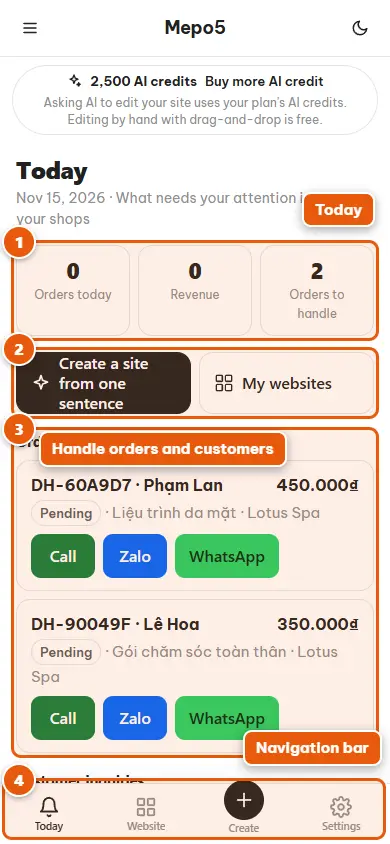
- 1Today
The “Today” screen instantly shows the number of orders, revenue and the tasks that need your attention.
- 2Shortcuts
Tap “Create a site from one sentence” or open your website list with a single tap.
- 3Handle orders and customers
Tap an order, booking or customer contact to see the details; there are quick buttons to call, message on WhatsApp or other apps.
- 4Navigation bar
The bottom bar switches quickly between Today, Websites, Create website and Settings.