Mepo5 User Guide › Lesson 10
Bookings and customer contacts
Customers book appointments or leave their contact details on your website. You view and handle everything here, even on your phone.
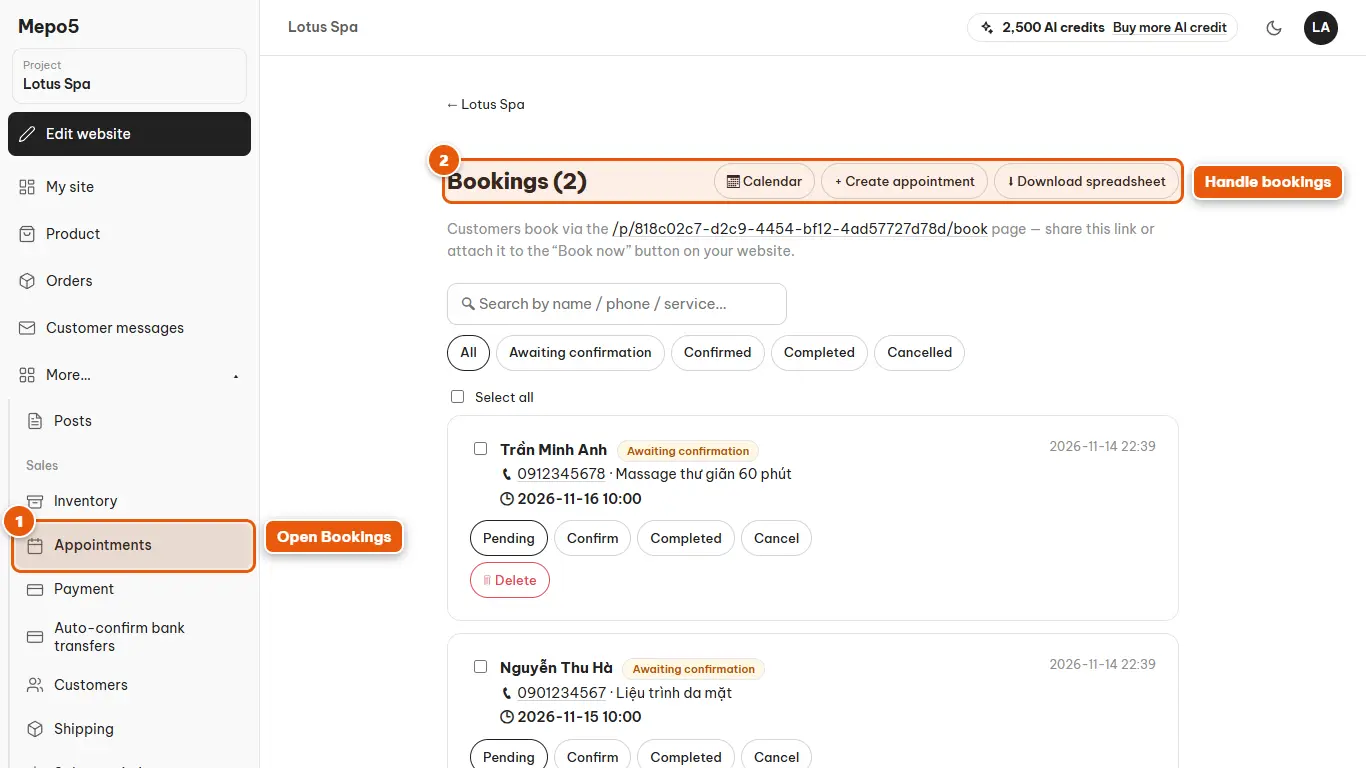
- 1Open Bookings
Choose “Appointments” in the left menu to see the appointments customers have booked.
- 2Handle bookings
Each booking has buttons to confirm, complete or cancel. Use the checkboxes to handle several bookings at once.
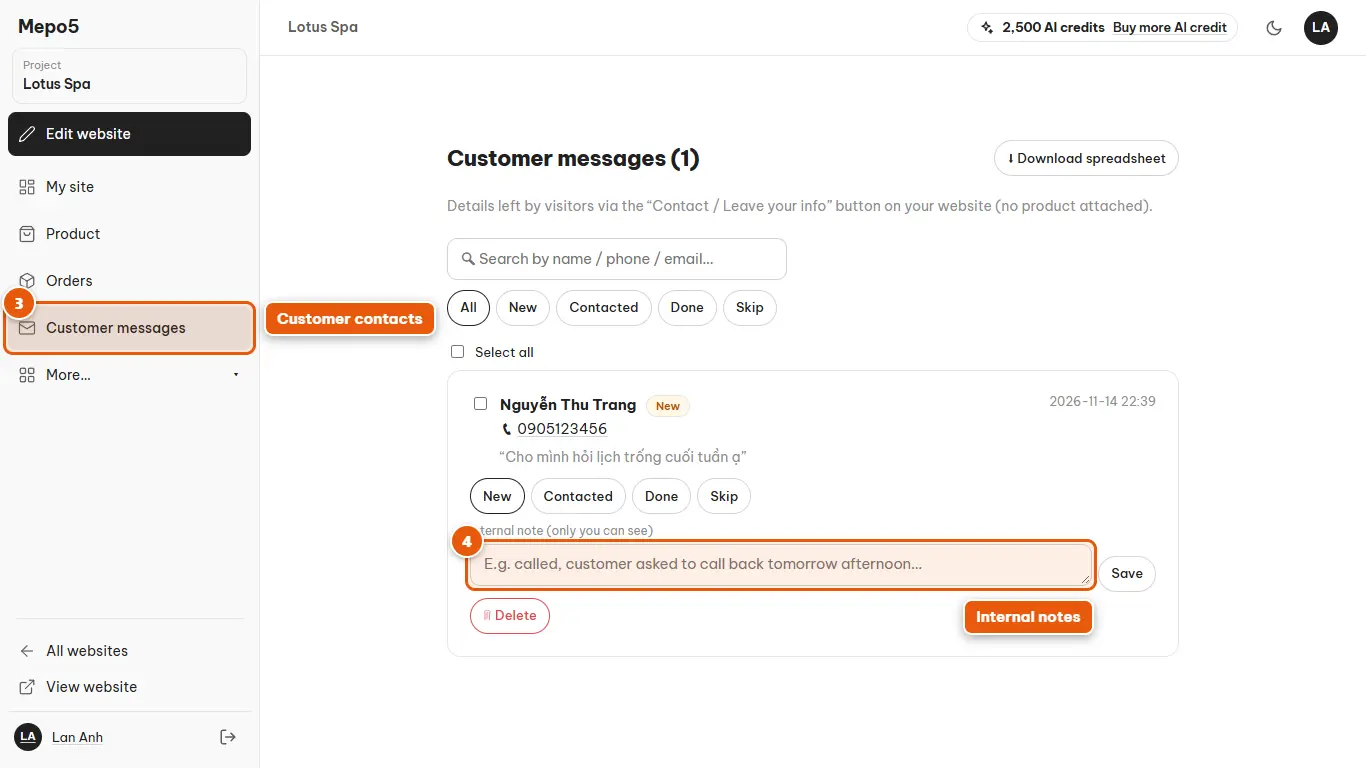
- 3Customer contacts
The “Customer messages” section lists the details customers left through the contact button on your website.
- 4Internal notes
Note that you called, rescheduled… Customers can't see these notes.