Mepo5 User Guide › Lesson 9
Selling: products, orders, cart
Customers pick products, add them to the cart and place orders on your website. You manage everything in your website's admin area.
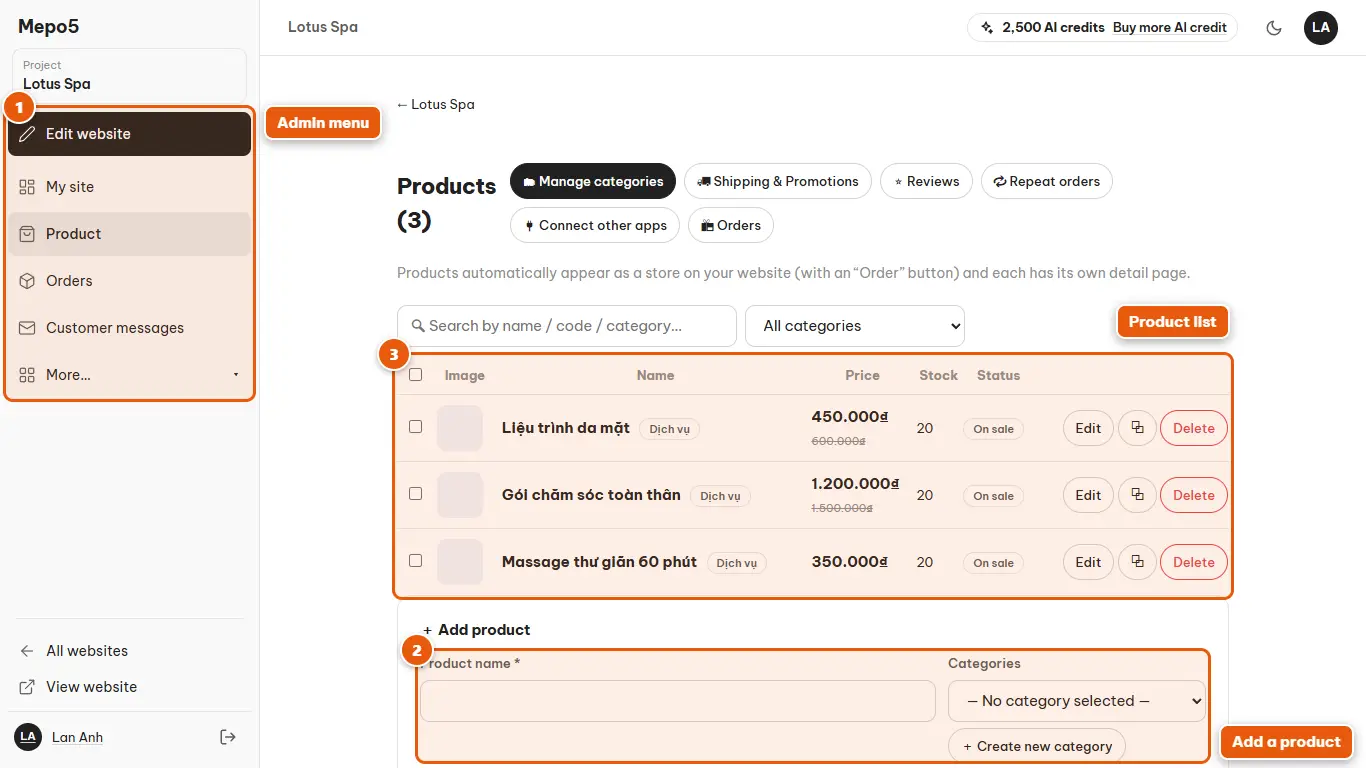
- 1Admin menu
The left menu has “Product”, “Orders”, “Customer messages” and other sections.
- 2Add a product
Fill in the name, price, image and description, then click save. Use the original price to show a sale price.
- 3Product list
View, edit, duplicate or hide products. Use the search box when you have many products.

- 4Order status
Each order has a status: pending, confirmed, shipping, completed or canceled. Change it with the dropdown at the end of the row.
- 5Filter and search orders
Filter by status and payment, or search by order number, customer name and phone number.