Mepo5 User Guide › Lesson 2
Create a website by chat on the home page
You don't need any design skills. Just talk as if you were chatting: the AI asks a few short questions (type of website, shop name, where you sell) and then builds your website.
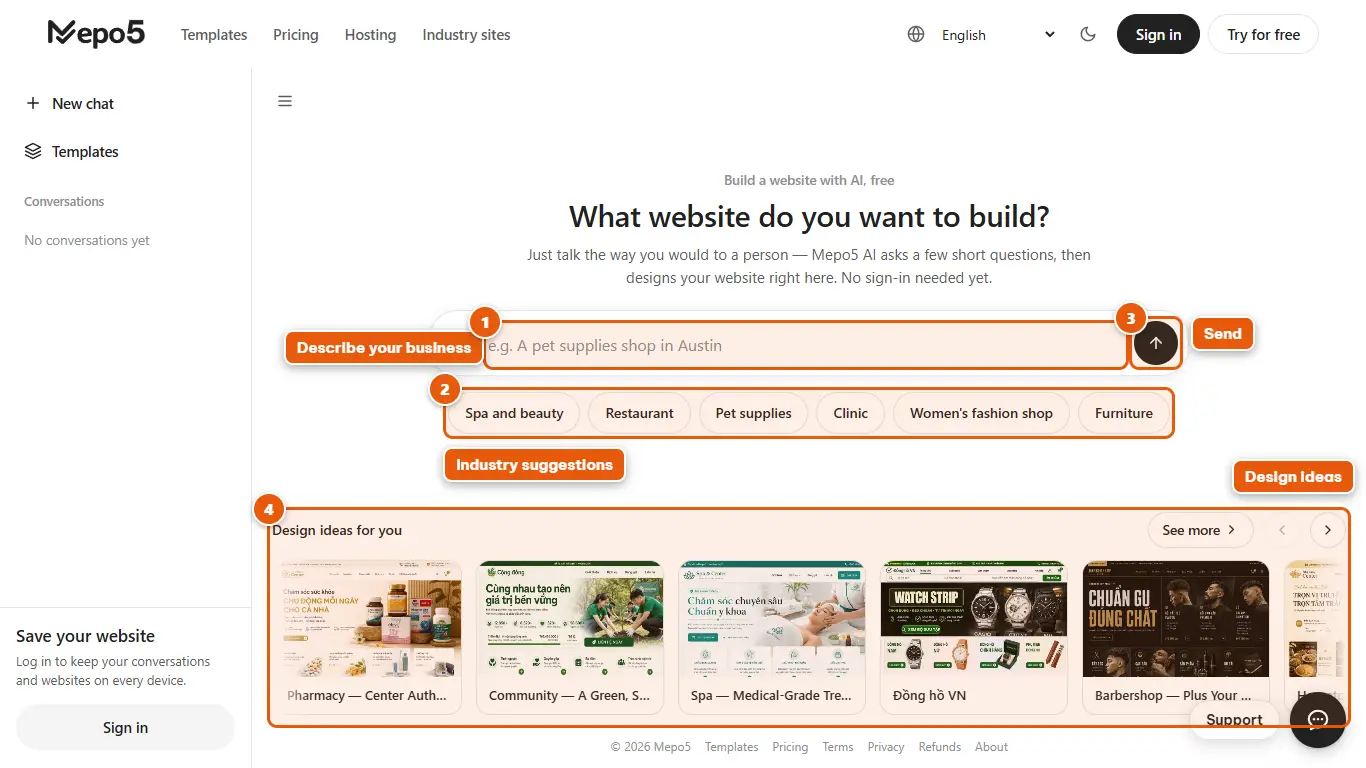
- 1Describe your business
Type in the input box, for example: «A spa called Lotus in Miami». If your shop name is in the sentence, Mepo5 uses it right away.
- 2Industry suggestions
Not sure what to type? Click a suggestion like Spa, Restaurant or Fashion shop to get started.
- 3Send
Click the arrow button (or press Enter) to send. The AI then asks short questions one at a time: type of website, name and market.
- 4Design ideas
Below the chat box there is a strip of suggested designs. Click one to preview it right on screen.
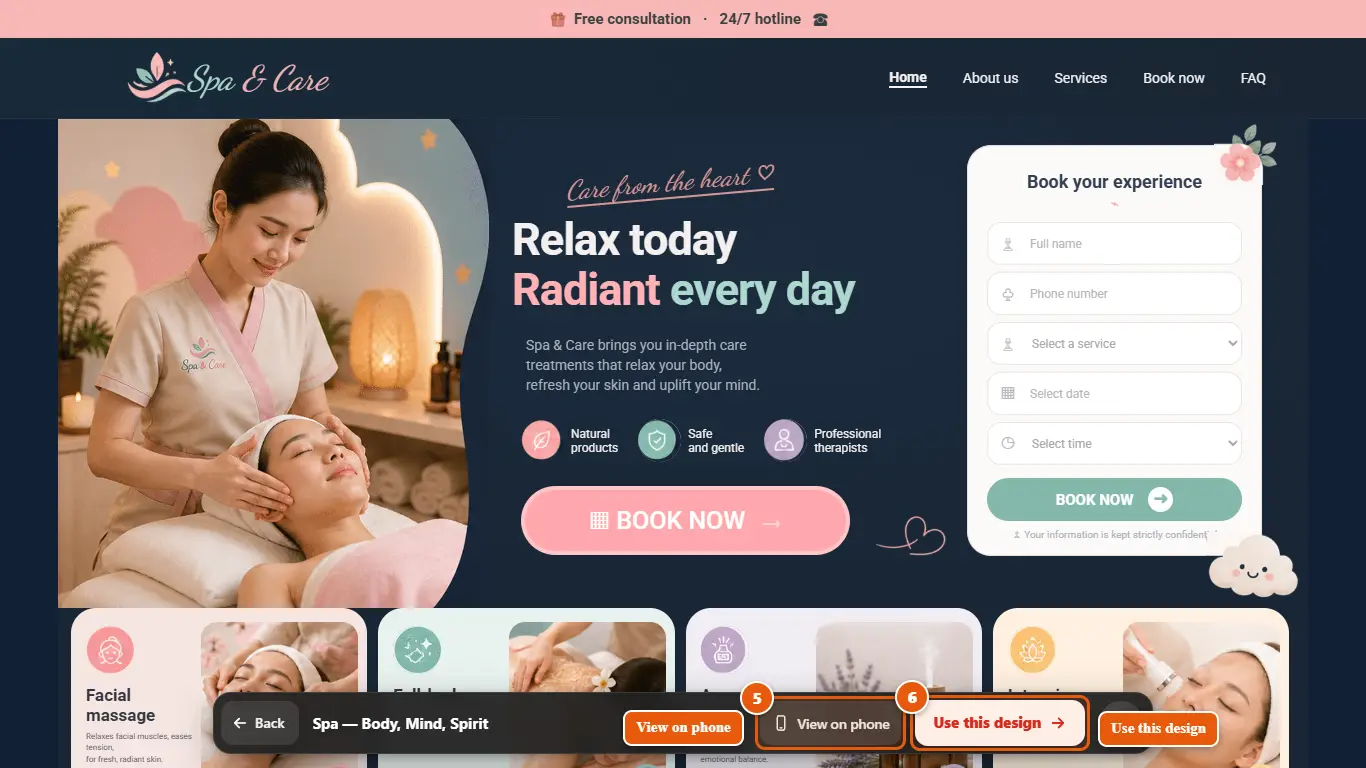
- 5View on phone
Click “Preview on phone” to see your website on a phone screen, and click again to go back to the computer view.
- 6Use this design
Like it? Click “Use this design”. In the chat window, once the AI has finished building, this button is called “Get this website”. Mepo5 will then ask you to log in to save your website and open the editor.