Mepo5 User Guide › Lesson 1
What is Mepo5 and how to sign up
Mepo5 is an AI website builder for shops, spas, restaurants and any small business. Just describe what you need in your own words, then fine-tune by clicking right on the page, publish your site, and receive orders and bookings, all in one place.
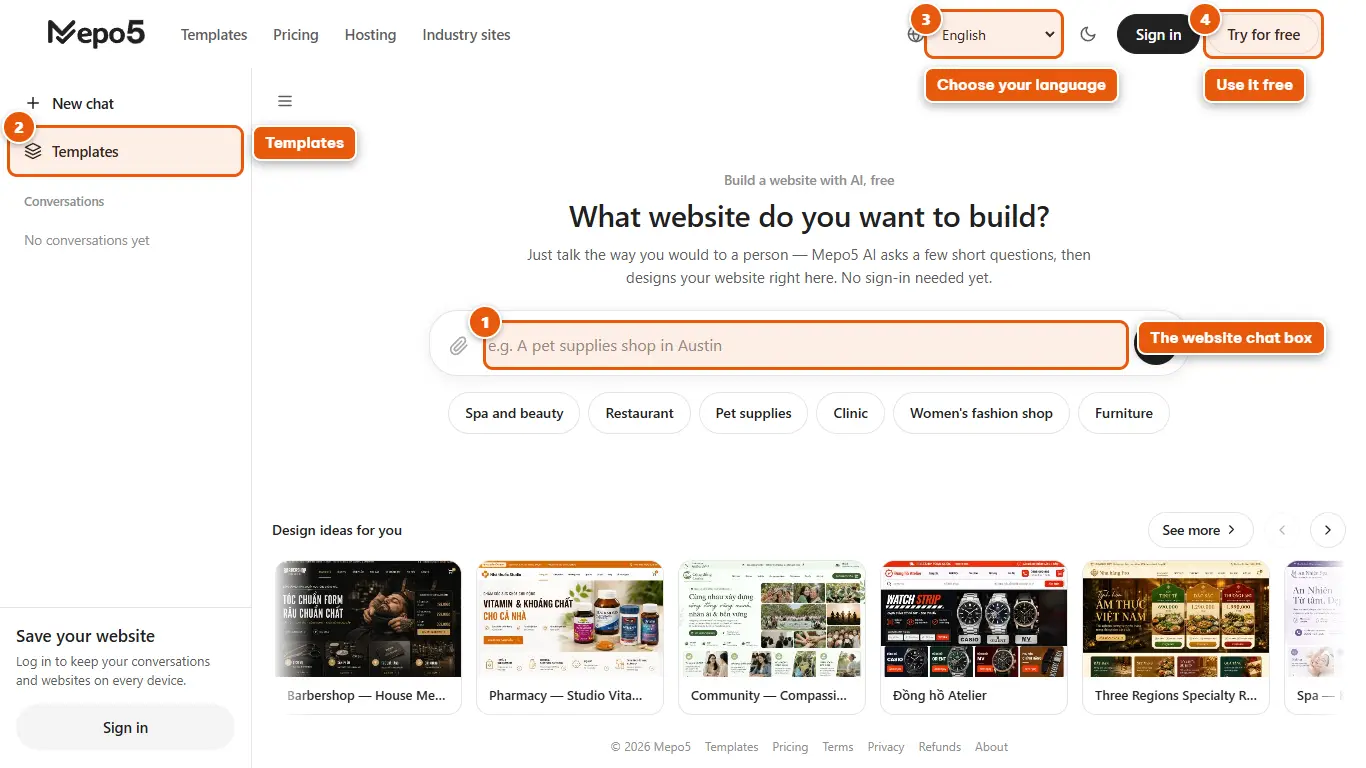
- 1The website chat box
The home page is a chat box. Type a few sentences about your business or pick an industry suggestion right below the input box. No login needed to try it out.
- 2Templates
Want to browse ready-made website templates for each industry? Click “Templates” in the left menu.
- 3Choose your language
The language selector in the top bar switches the whole Mepo5 interface to your language.
- 4Use it free
Click “Try for free” to create an account. The Free plan costs nothing.
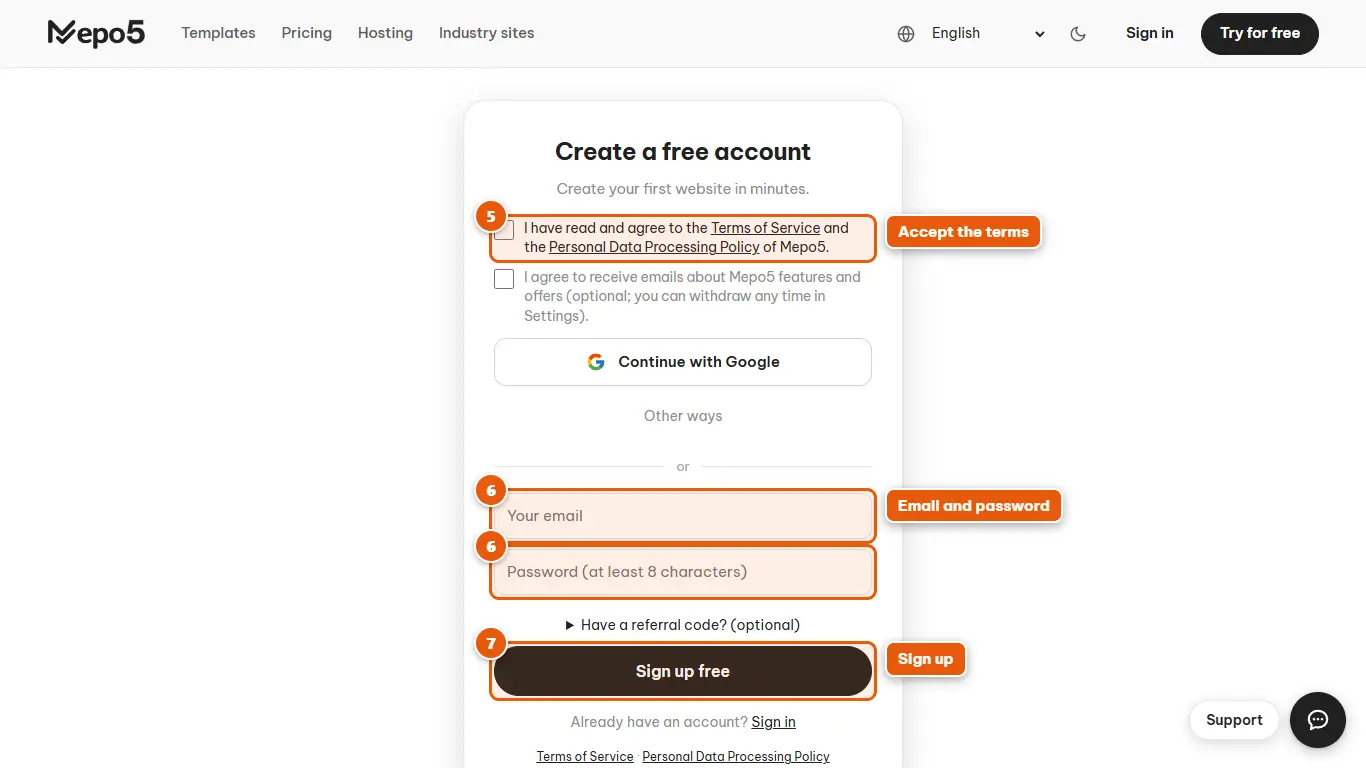
- 5Accept the terms
Tick the box to accept the terms and data policy. The box for promotional emails is optional.
- 6Email and password
Enter your email and a password of at least 8 characters. You can also click “Continue with Google” to sign up quickly.
- 7Sign up
Click “Sign up free”. You'll land straight on the home page to create your first website.