Mepo5 User Guide › Lesson 6
Ask the AI to edit your website with commands
The AI assistant changes colors, rewrites text, adds blocks, translates the page or writes SEO as you ask. There is always a preview step, and nothing changes until you click Apply.
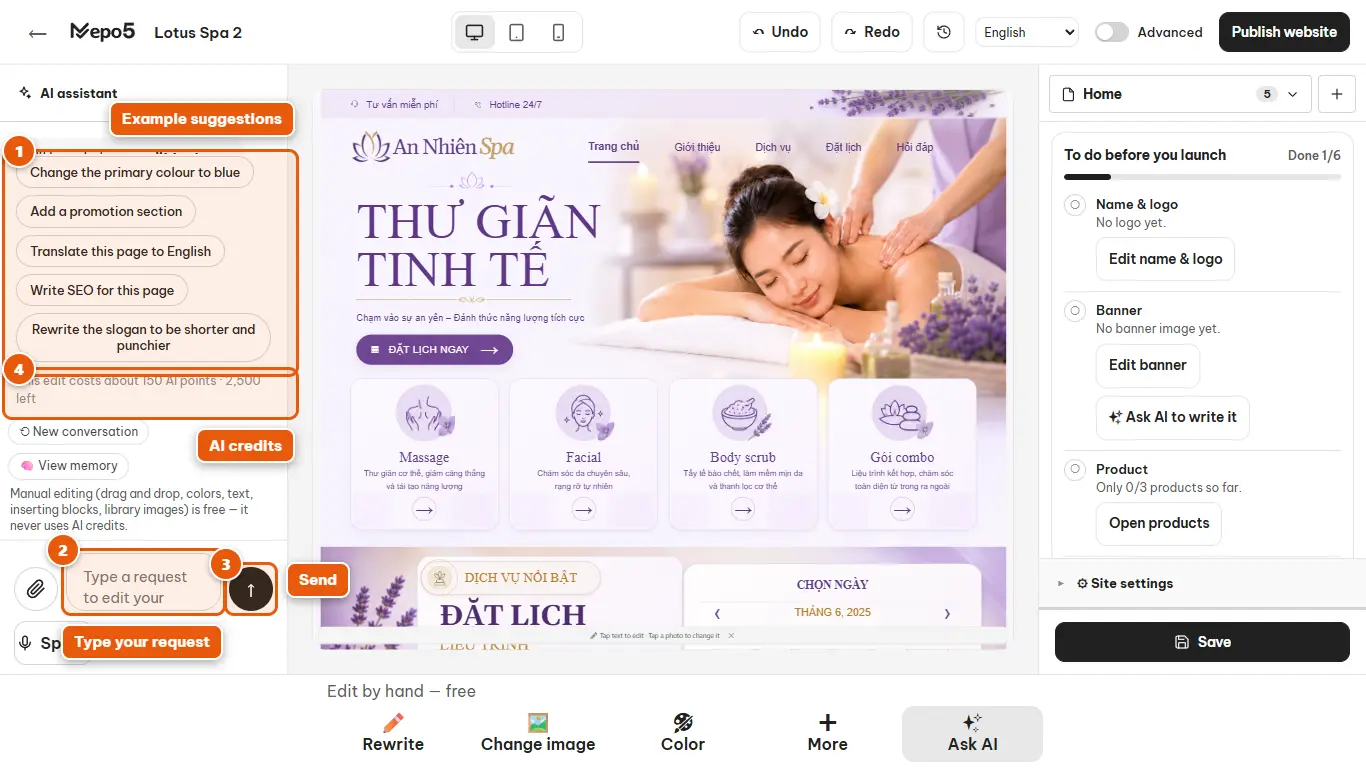
- 1Example suggestions
Click a suggestion such as changing the main color, adding a promotion block or writing SEO to try it right away.
- 2Type your request
Say clearly what to change into what, and in which block. For example: «Change the main color to green» or «Rewrite the slogan to be shorter».
- 3Send
Click the arrow button to send. The AI shows you a plan of changes to review.
- 4AI credits
The small text shows roughly how many AI credits each command uses and how many you have left. Editing by hand is always free.