Mepo5 User Guide › Lesson 7
Sub-pages, menu and SEO
A multi-page website (About, Services, Contact…) looks more professional. Everything is right inside the Editor.
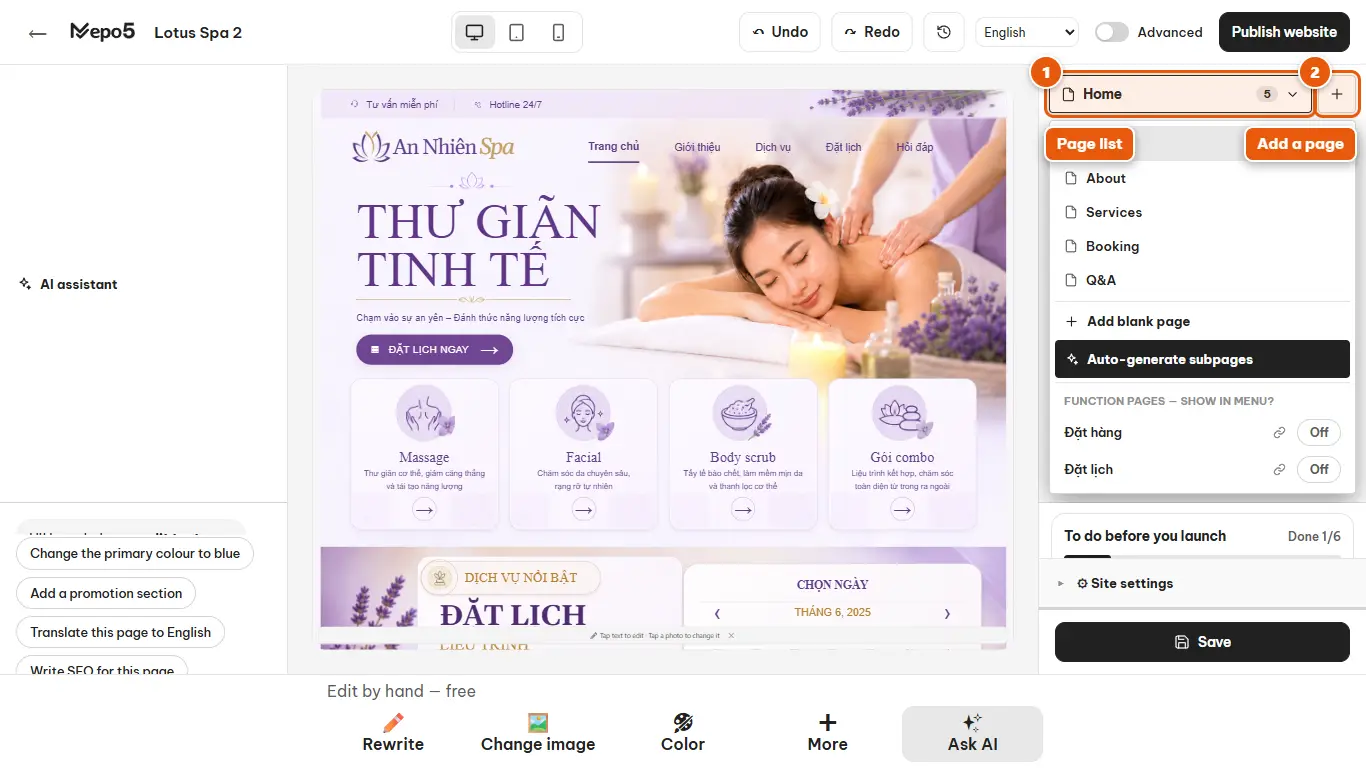
- 1Page list
Click the current page name at the top of the left column to open the list of pages.
- 2Add a page
Click the plus button to add a new page, then give it a name and a path. You can also ask the AI to create several sub-pages at once.
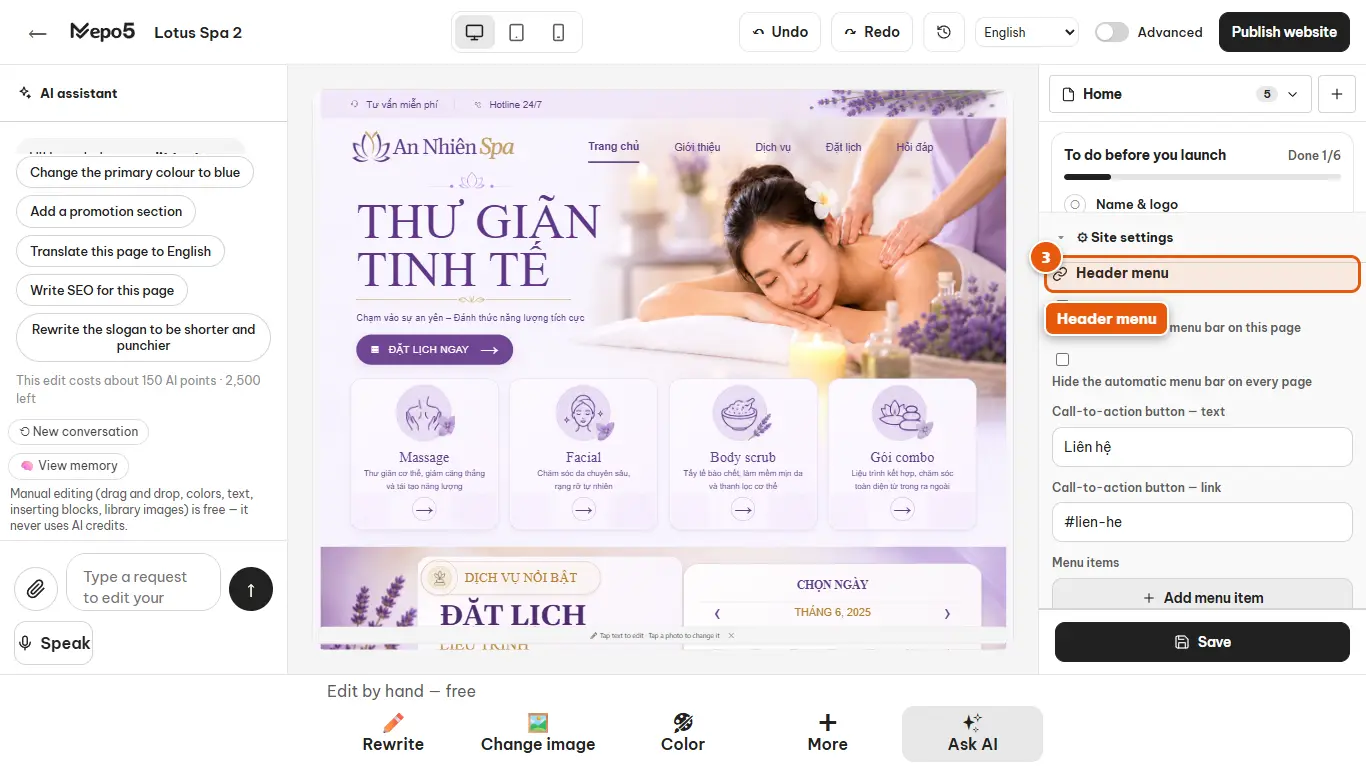
- 3Header menu
In “⚙ Site settings”, open the Header menu section to change text, links and add menu items.
- 4Show up on Google
In the same place, fill in a title and a short description so your website looks good on Google and when shared.